SMS gateway in your pocket

Turn your Android phone into a cloud SMS gateway

Send and receive SMS from any browser, auto-forward messages to email, webhooks or other numbers, run SMS polls, and sync your contacts & messages to the cloud — all powered by the phone you already own.

0 messages/day 0 devices 99.9% uptime
RETAILLOGISTICSFINTECHHEALTHREAL ESTATEAGENCIES
Everything the app does — on the web

One platform for your whole SMS workflow

Every feature of the SMSRAVE mobile app, mirrored in a fast, beautiful web dashboard.

✉

Send & receive SMS

Compose from the web; messages send through your phone and land in the recipient’s inbox like any normal text.

⇄

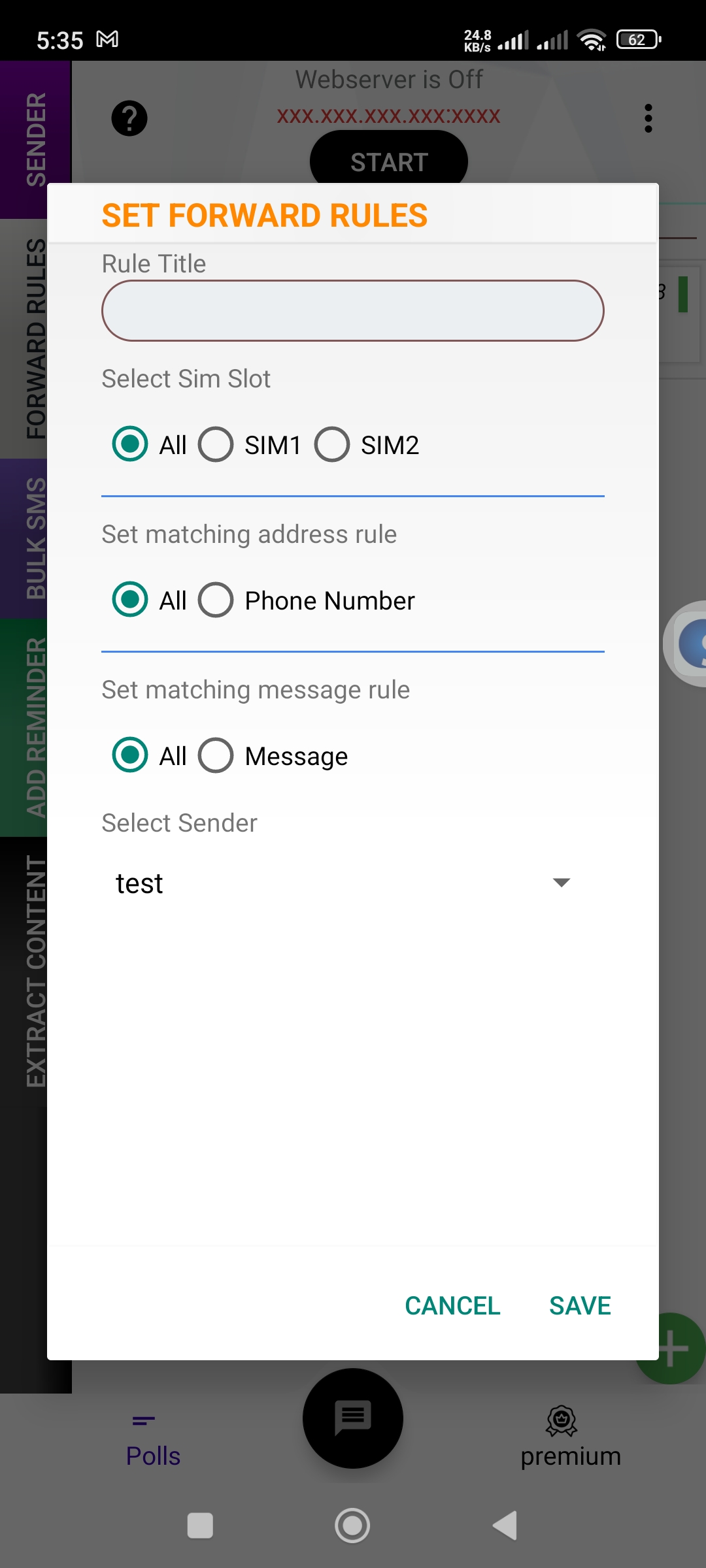
Auto-forward rules

Forward incoming SMS to another number, an email address or a webhook — with keyword & sender matching.

▣

SMS polls & voting

Run polls over SMS, tally votes automatically and watch results update live.

☰

Contacts in the cloud

Your phone’s contacts, searchable and exportable from any browser (Regular plan).

☎

Call logs

Review call history alongside your messages in one timeline.

⚡

Developer API

A documented REST API & SMS fetch URL to send and pull messages from your own systems.

◆

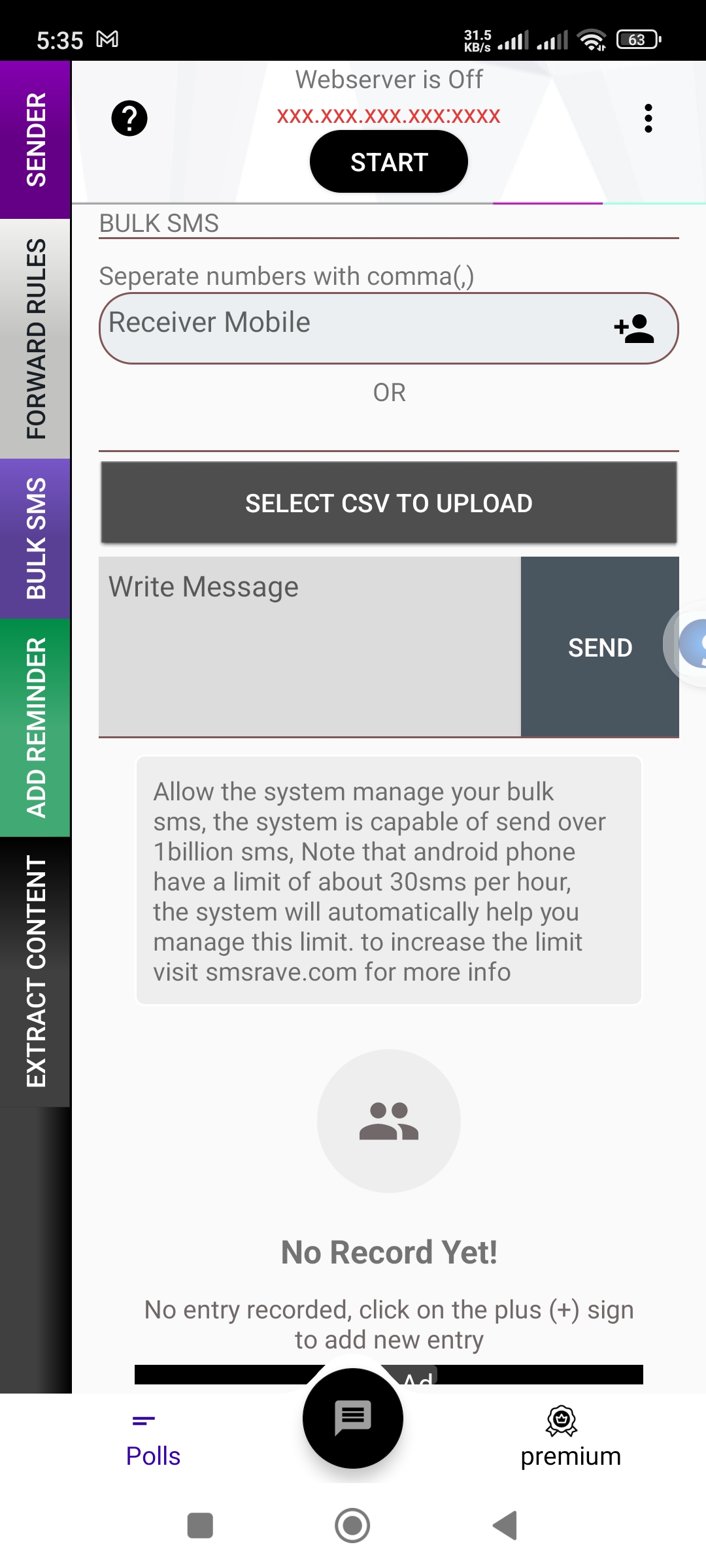
Bulk SMS

Blast a message to hundreds of numbers at once, with delivery tracking.

◇

Multi-SIM & delivery

Pick a SIM per send and track sent / delivered / failed status.

◈

Secure by design

Session + device tokens, HMAC-signed webhooks and Paystack-secured billing.

How it works

Live in three steps

1️⃣

Install the app

Download SMSRAVE on your Android phone and sign in with your account.

2 · Connect

The phone syncs messages, contacts and polls to your dashboard over a secure link.

3 · Control from the web

Send, forward, poll and manage everything from this dashboard — or your own code via the API.

0
Delivery success
0
Avg web latency
0
Always-on sync
0
Build flavours
No cables, no app install on the PC

Connect your phone to any computer — right in the browser

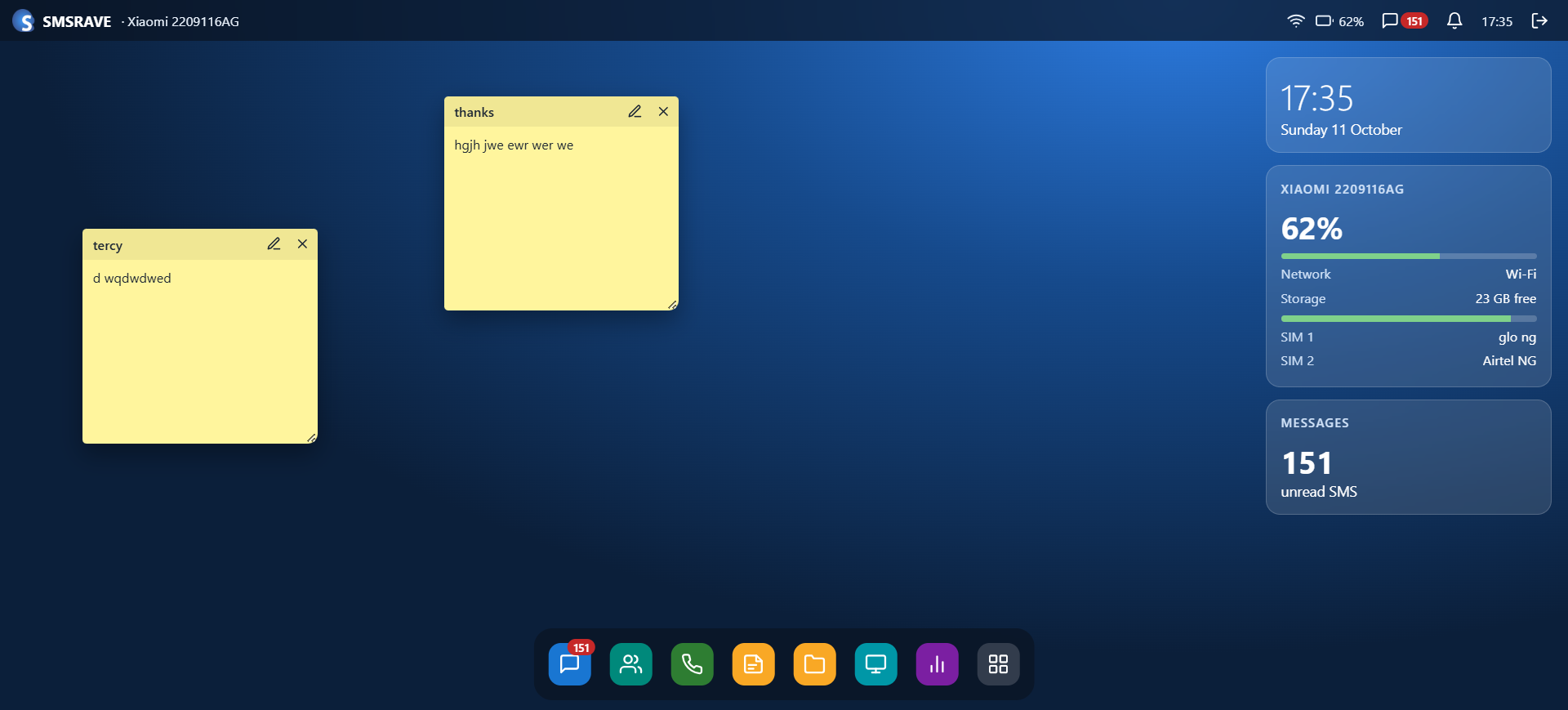
SMSRAVE has a built-in web server. Switch it on in the app, open the address it shows in any browser on the same Wi-Fi, and you get a full desktop for your phone: messages, contacts, dialer, polls, files and even a live view of the screen.

1
Open SMSRAVE on your phone and tap START on the web server.
2
Type the address it shows (e.g. 192.168.0.5:8080) into your PC browser.
3
Sign in with your app PIN — you’re connected.
Get the app →
192.168.0.5:8080
Phone desktop in the browser
Your phone, on the big screen — over Wi-Fi
See it in action

Your phone’s SMS, beautifully on the web

A full windowed dashboard in the browser, and the powerful app on your phone — one account, perfectly in sync.

On the web

smsrave.com/dashboard/messages
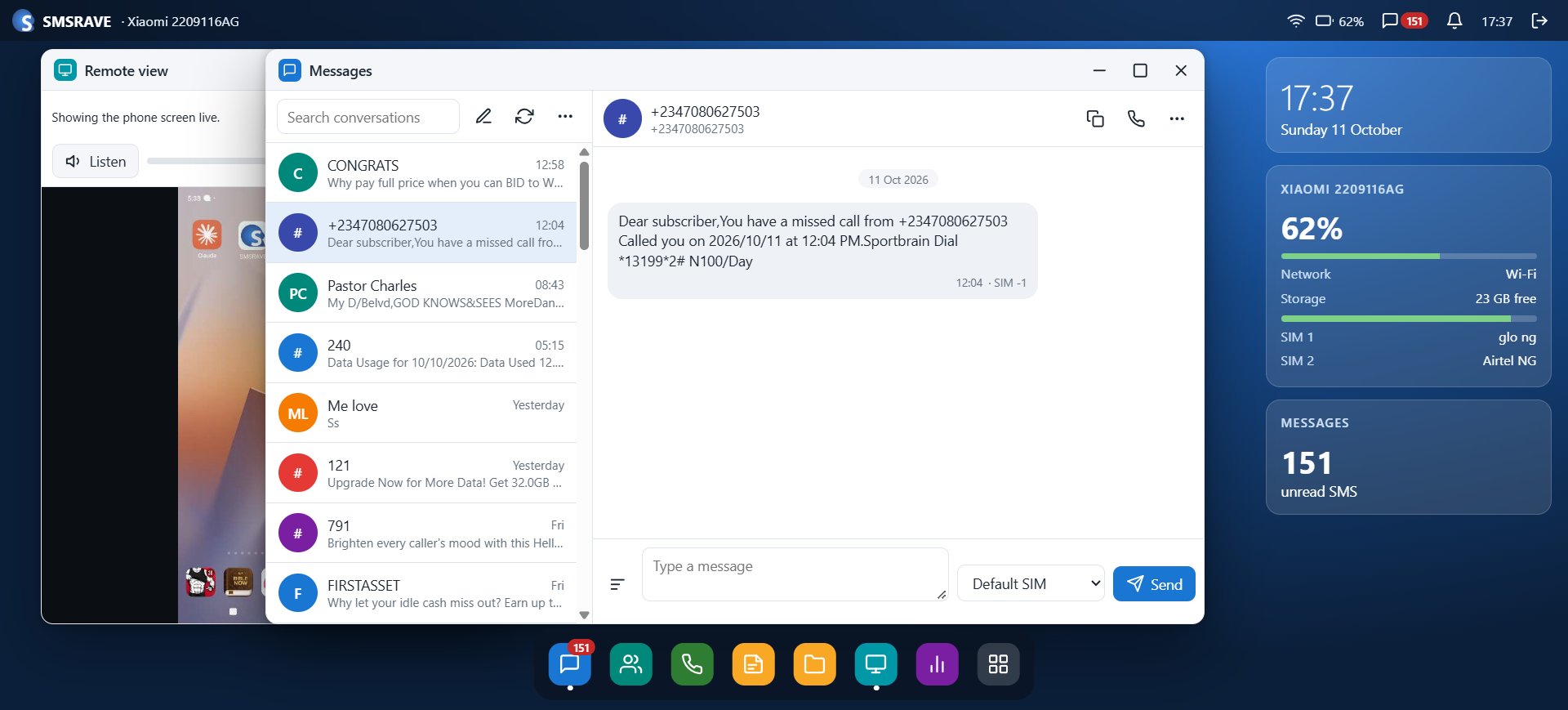
Unified message inbox
smsrave.com/dashboard
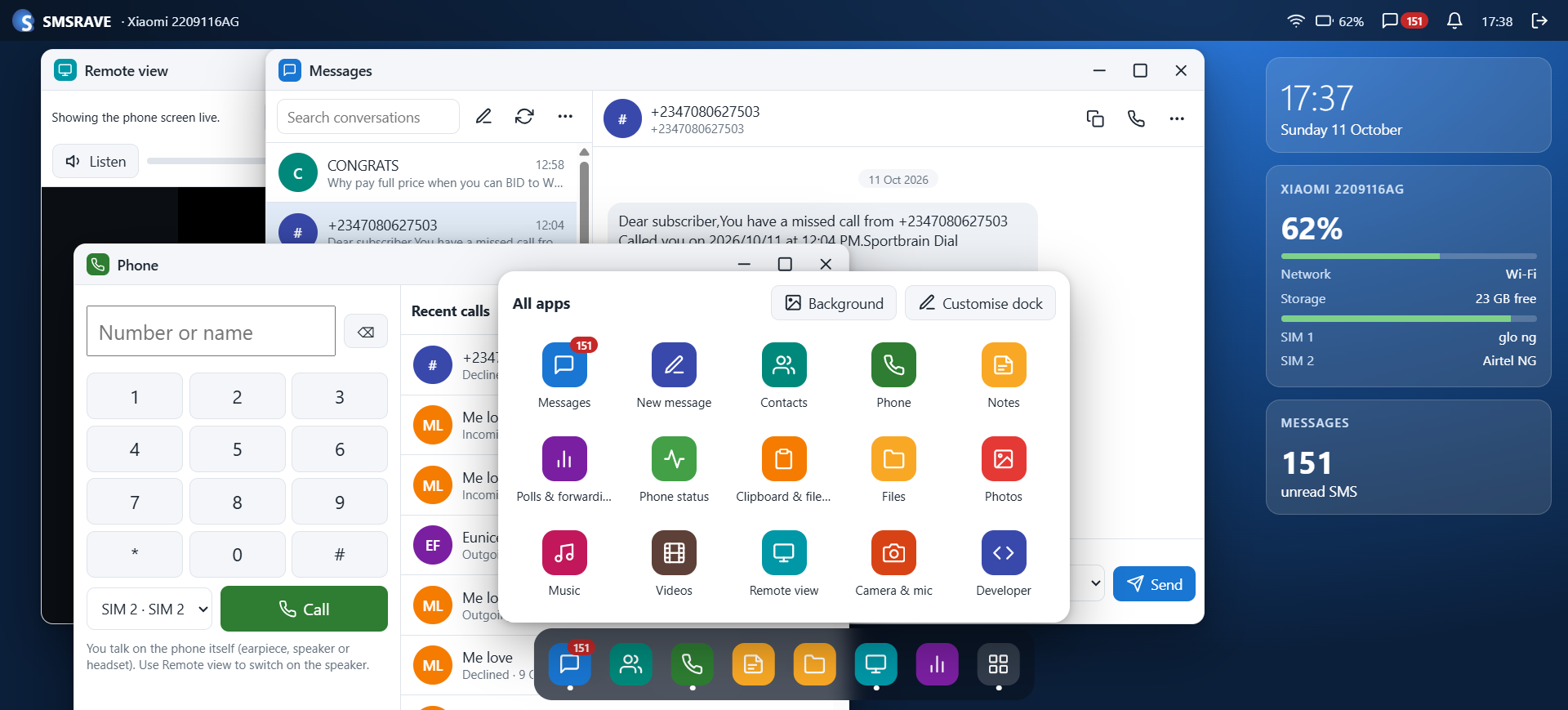
Windowed desktop & apps
smsrave.com/dashboard
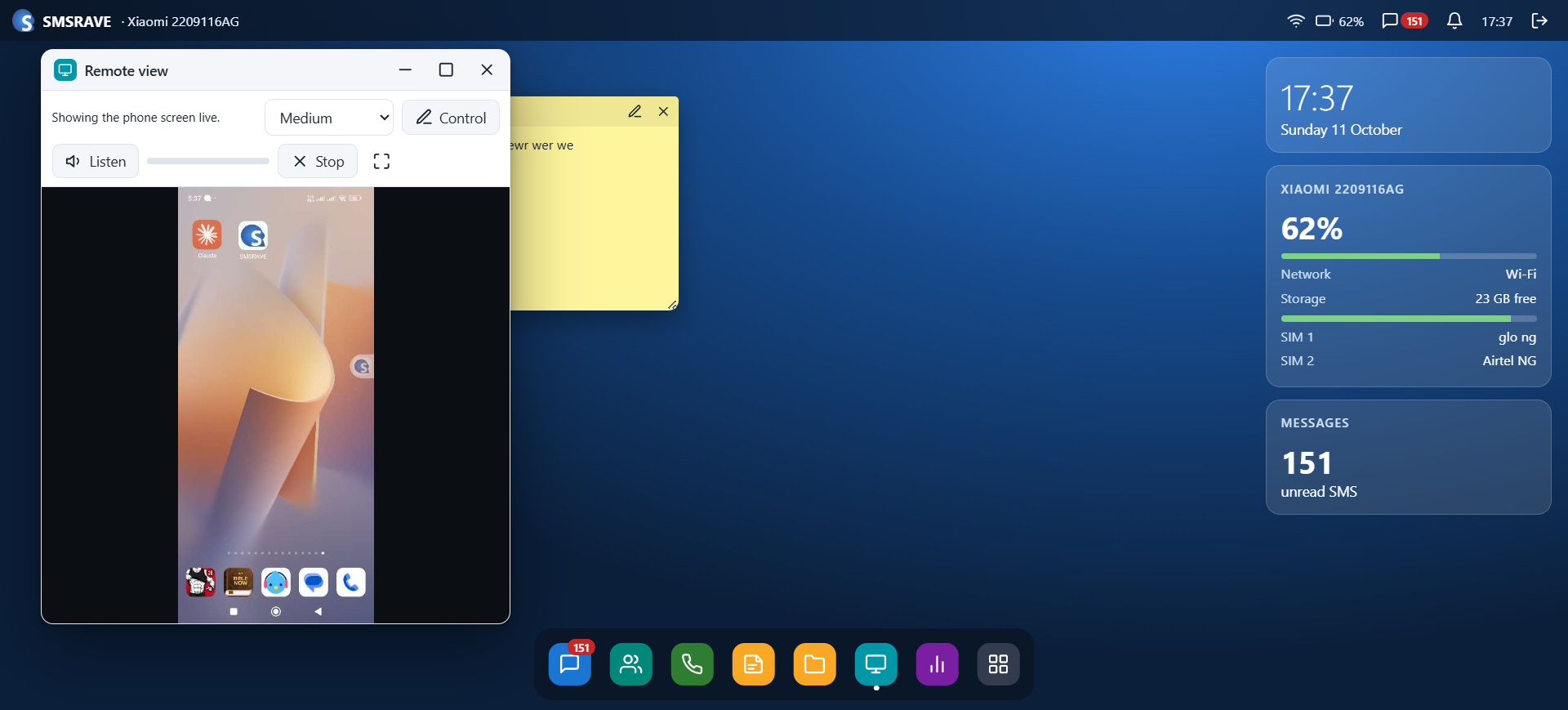
Live remote phone view
smsrave.com/dashboard
Sticky notes & live status

On your phone

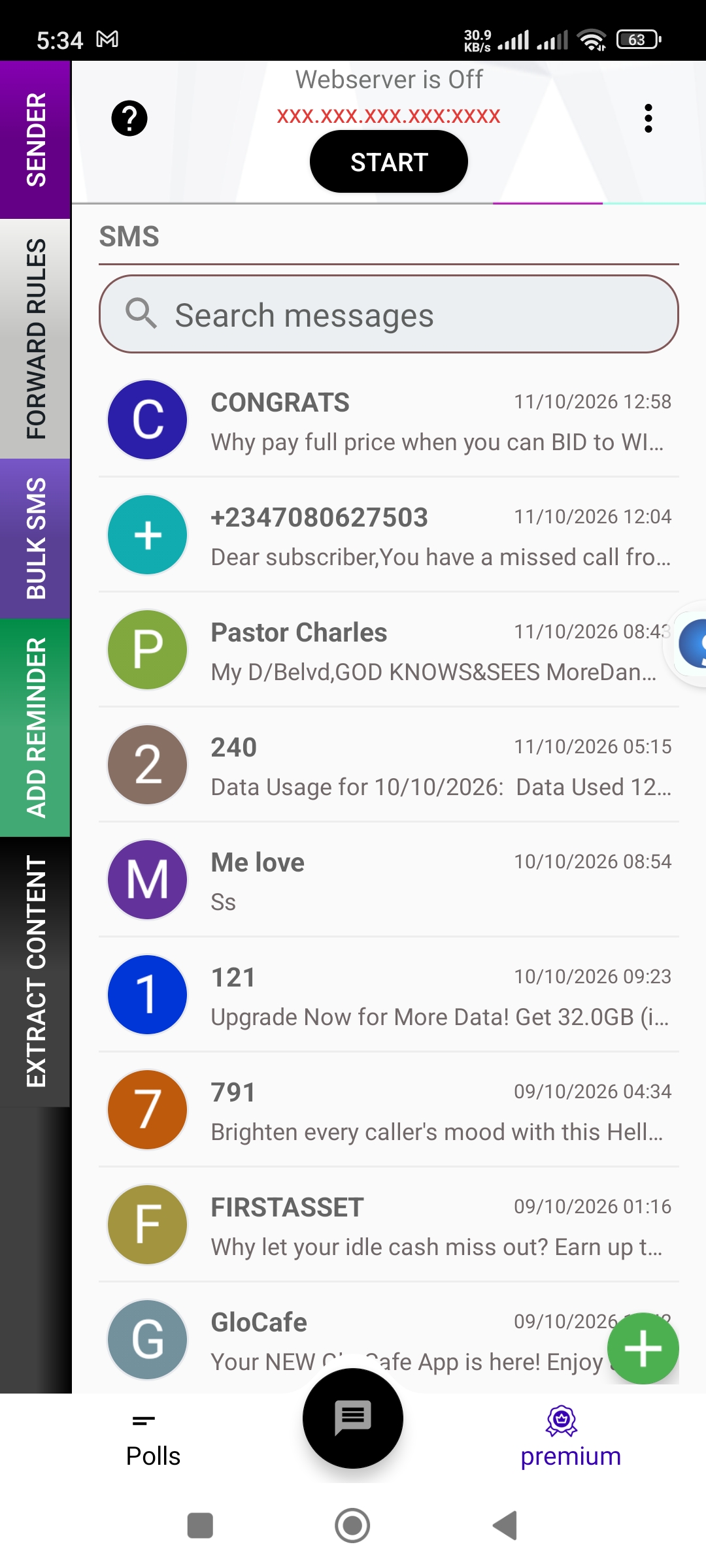
Messages & SIM
Messages & SIM
Forward rules
Forward rules
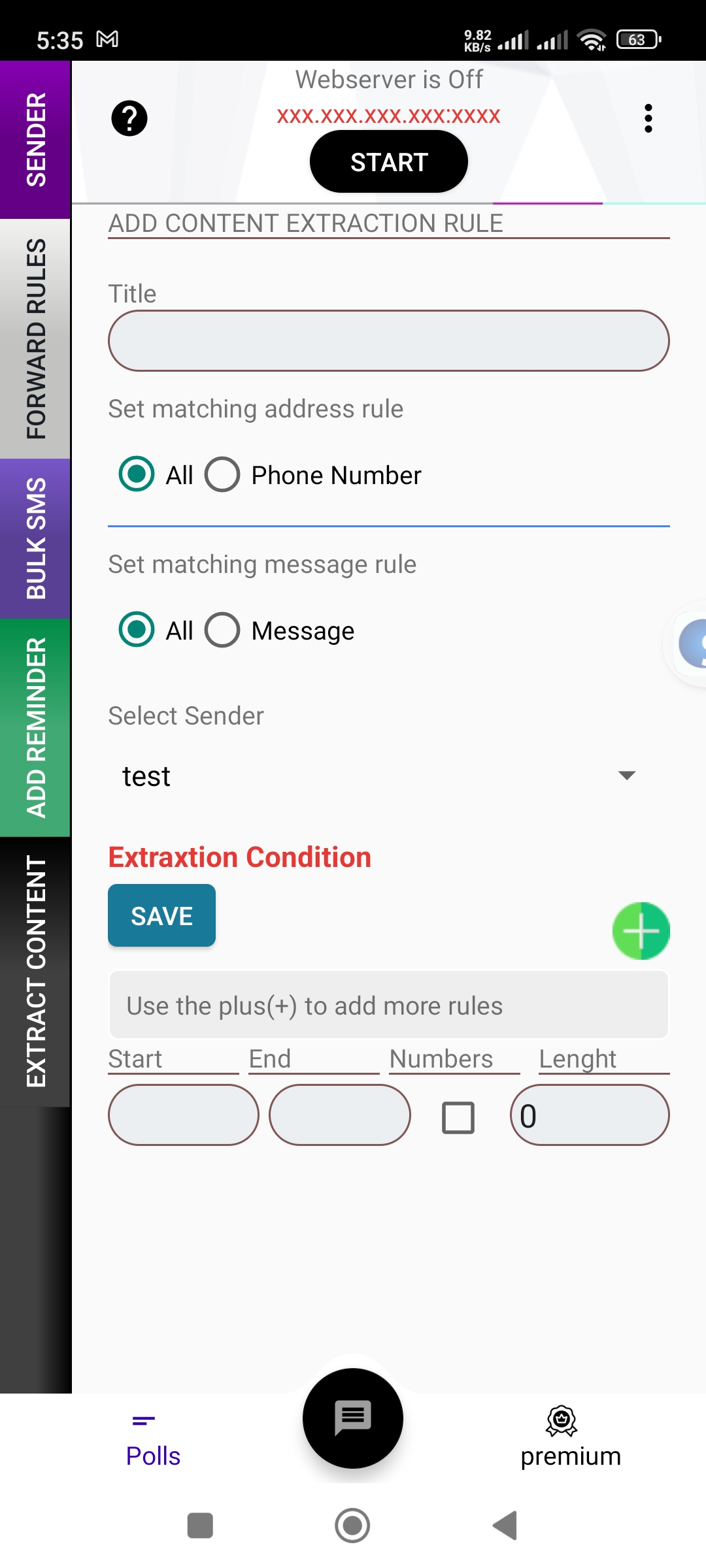
Content extraction
Content extraction
Bulk SMS
Bulk SMS
Simple pricing

Plans that scale with you

Start free. Upgrade for cloud sync and web control. Pay securely with Paystack.

Free

Free
  • Core SMS app on your phone
  • Forwarding & polls on-device
  • Cloud sync
  • Web dashboard data
Get started

Mini

$2/mo
  • Everything in Free
  • No ads
  • Priority support
  • Cloud sync & web data
Choose Mini
Most popular

Regular

$8/mo
  • Everything in Mini
  • Cloud sync of SMS, contacts & polls
  • Send & manage from the web
  • Developer API & SMS fetch URL
Choose Regular

Ready to run SMS from the cloud?

Create your free account, install the app, and send your first web SMS in minutes.

Create free account →